Employee onboarding that lands in Xero Payroll.
Employee onboarding for Xero Payroll. Canyou collects and validates every new starter’s details on their phone, then syncs them into Xero in one click. Your team keeps working in Xero. Canyou does the chasing.
Official Xero connected app
Validated before anything reaches Xero
Create or update employees in Xero

Integrations
Canyou collects. Your systems receive.
Your payroll, rostering and recruitment tools stay the source of truth. Canyou does the chasing and hands over validated data, so your team never has to log in to another app.
FROM THE WORKER'S PHONE
Collect
One link, any phone
Verify
ID, visa, licence validity
Monitor
Expiries & reminders
Validated once, pushed everywhere it's needed, with an audit trail kept.
INTO THE TOOLS YOU ALREADY RUN
 Syncs into Xero Payroll
 Syncs into MYOB Payroll
 Works alongside Deputy rostering
 Imports placements from JobAdder
 Sends cleared-to-work status to Workforce One
 Sends cleared-to-work starters into Astute Payroll
 Brings staff in from Cloud Payroll
Setup
How to onboard an employee in Xero.
Connect to Xero
Set up the connection between Canyou and Xero in a few clicks.
Collect employee info
Send one link, or import your existing staff from Xero.
Validate and sync
Check the details, then sync them to Xero in one click.
Keep it up to date
Sync again to update an existing employee in Xero.
Sync
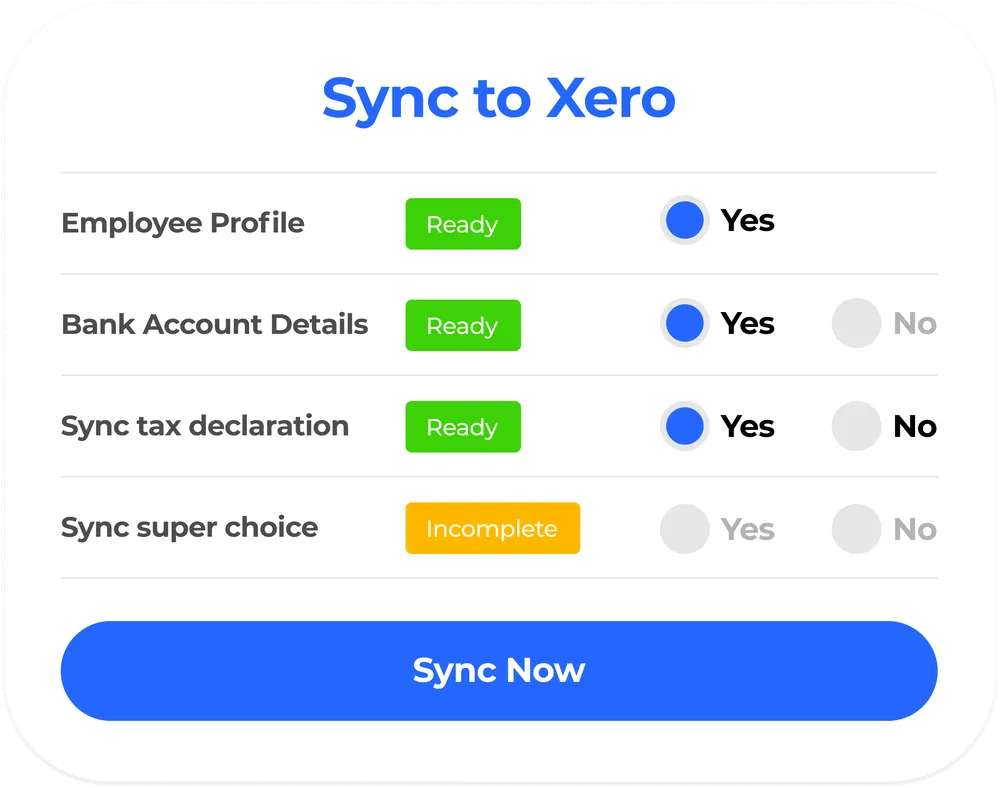
One click from Canyou to Xero
Every field is validated in Canyou first, so what lands in Xero Payroll is complete and correct. See everything in Canyou’s employee onboarding software.
Tax file number, super and bank details
No double entry
How it connects
Connected in minutes, synced when you choose
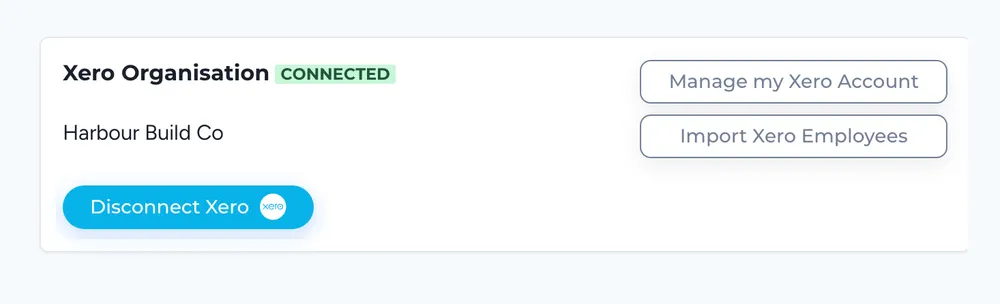
Connect your Xero organisation from Canyou settings, then sync each employee when their details are complete. The support guide walks through the setup.
Step-by-step setup guide
Live Australian support
Xero’s own onboarding vs Canyou
When Xero’s own onboarding is enough, and when it isn’t
Xero Payroll has its own self-onboarding: you send a request, the new starter enters their personal, tax, super and bank details, and you approve them in Xero. For many small teams that’s all they need. These are the signs a business, or a bookkeeper’s client, has outgrown it.
Xero’s form is enough when…
The business hires a handful of people a year on one simple payroll
New starters know their super fund and give personal, tax, super and bank details themselves
Nobody needs a visa checked or a licence on file before they start
Contracts, policies and the Fair Work Information Statement can go out separately
Time to move on when…
Payday Super is here
Xero’s form asks the new starter to type in their fund details, with no super stapling and no check. Canyou retrieves their stapled fund from the ATO during onboarding, checks it before anything reaches Xero, and links the employee to you before their first pay day. You authorise it once with the ATO.
Someone doesn’t give their super details
Xero’s form doesn’t show your default fund, and a new starter who wants to join it is told to speak to you. Canyou shows your default fund to everyone and registers those who choose it before pay day. If someone never finishes, Canyou staples their existing fund or registers them with your default fund.
You hire your first visa holder
Xero’s form collects tax, super and bank details; it has no work rights step. In Canyou your team checks work rights with the Department of Home Affairs, and you get notice before the visa expires.
Tickets start to matter
A labourer needs a White Card, a forklift driver a high-risk work licence, a teacher’s aide a WWCC. Canyou asks for the right ticket for each role and reminds the worker before it lapses.
Paperwork still lives in email
Documents can’t be attached to Xero’s form, so contracts, policies and the Fair Work Information Statement go out separately. Canyou sends them in the same flow, with e-signatures.
Every role needs something different
Xero says it has no current plans to customise its form. In Canyou, each position carries the forms, licences and inductions that role needs, and crews can start from a QR code on site.
Xero details are from Xero Central, Xero’s product ideas forum and our own test of Xero’s form, November 2026. Features change, so check with Xero before you decide.

For Xero users
Xero runs your payroll. Canyou makes sure every new starter is compliant and cleared to work before they reach it.
- Import existing employees from Xero into Canyou
- Sync tax, super and bank details into Xero Payroll, one employee at a time
- Create a new Xero employee or update an existing one
- Disconnect or reconnect from Canyou settings at any time
Questions we get asked
Anything else, start a live chat or book a 30-minute call with our Australian team.
Book a 30-minute demo →Does Xero have employee onboarding?
Yes. Xero Payroll has a built-in self-onboarding form: you invite a new starter by email, and they enter their own personal details, tax declaration, super fund and bank details before you review and approve the record. Documents can’t be attached, and the form has no step for super stapling, work rights, licences, contracts or the Fair Work Information Statement. Canyou adds all of that, then syncs the finished, validated employee into Xero.
Does Xero’s onboarding do super stapling?
No. Xero’s form collects the fund details the new starter types in. Canyou retrieves their stapled fund from the ATO during onboarding, shows your default fund and registers anyone who chooses it before pay day. If a new starter never gives their super details, Canyou staples their existing fund or registers them with your default fund, so you’re ready for Payday Super.
How do you onboard an employee in Xero with Canyou?
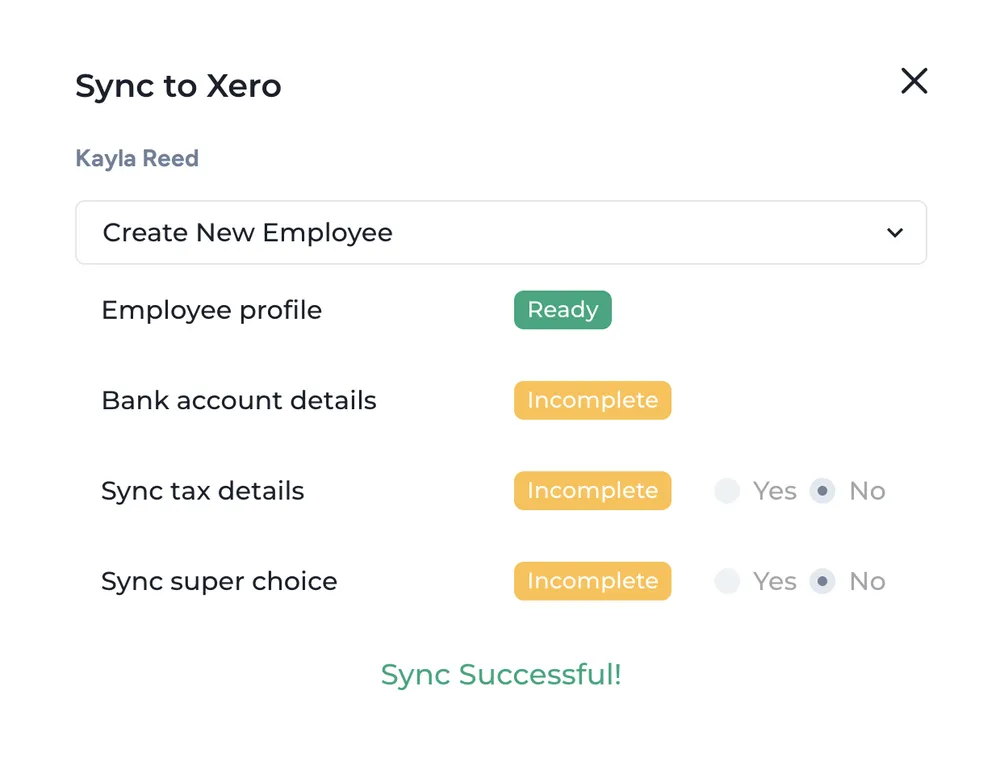
Connect your Xero organisation from Canyou settings, then send the new starter one onboarding link. When their TFN declaration, super and bank tasks are complete, click Sync Xero Employee and choose to create a new employee or update an existing one.
What data syncs to Xero?
Validated employee details, including tax file number, super and bank details, sync into Xero Payroll. Canyou doesn’t sync invoices or other accounting data.
Does the sync happen automatically?
No. You choose when to sync, one employee at a time, so nothing reaches Xero until you’ve checked it. Sync again to update an employee who changes their details.
Can I import my existing employees from Xero?
Yes. Import existing employees from Xero into Canyou from the Users menu. Each employee needs a valid email address in Xero.
Is Canyou an official Xero connected app?
Yes. Canyou is listed as a Xero connected app, and your team keeps working in Xero as usual.
Know every worker is cleared to work
Work rights, licences, forms and signatures collected from a phone and synced to payroll. About 15 minutes per worker, with setup in about 10.
No credit card required · Cancel any time · Australian support 🇦🇺