Help Centre
Getting Started
Dashboard
How to guides
Workflows
Workflow templates
Tasks
E-Sign
Positions
Custom Fields
Reminders
Automations
Entry Points
Users
Certifications
Videos
Businesses
Logging In
Superannuation
Xero Integration
Deputy Integration
Workforce One Integration
Astute Payroll Integration
JobAdder Integration
Visa Checks
Billing
FAQs

Skipping Tasks 📋✔

This section shows how to skip a Task in a Workflow.

Sometimes when we assign a Workflow to an employee there may be certain Tasks in that Workflow that we do not want the employee to complete.

We can skip these Tasks so that the employee can complete the workflow without having to do the tasks we mark as skipped.

Let's learn how to skip a Task.


  1. From the Users menu. Click into a Workflow that has been assigned to an employee.
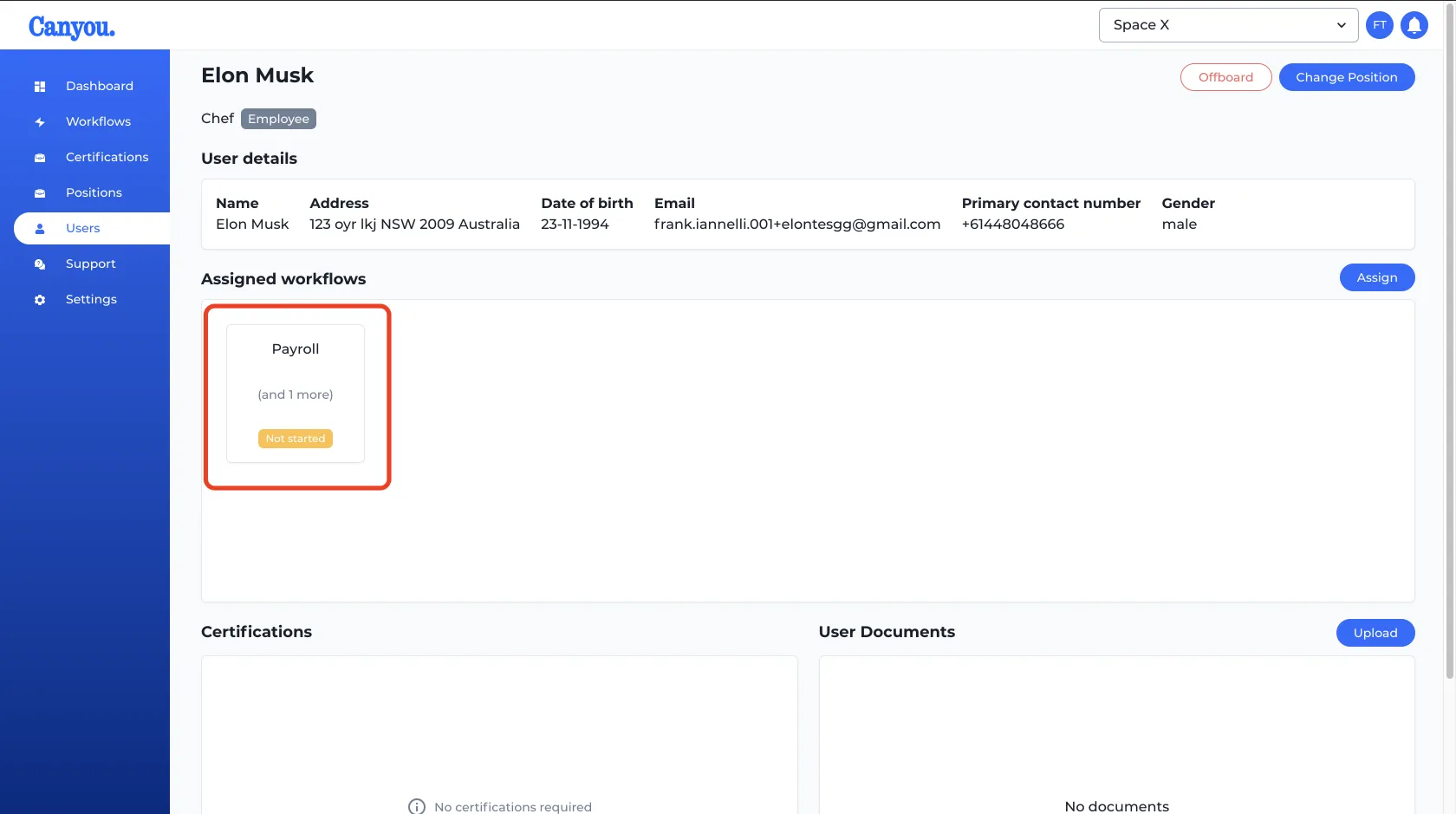
screenshot
  1. Select the Task you wish to skip then click the menu button in the Task preview.
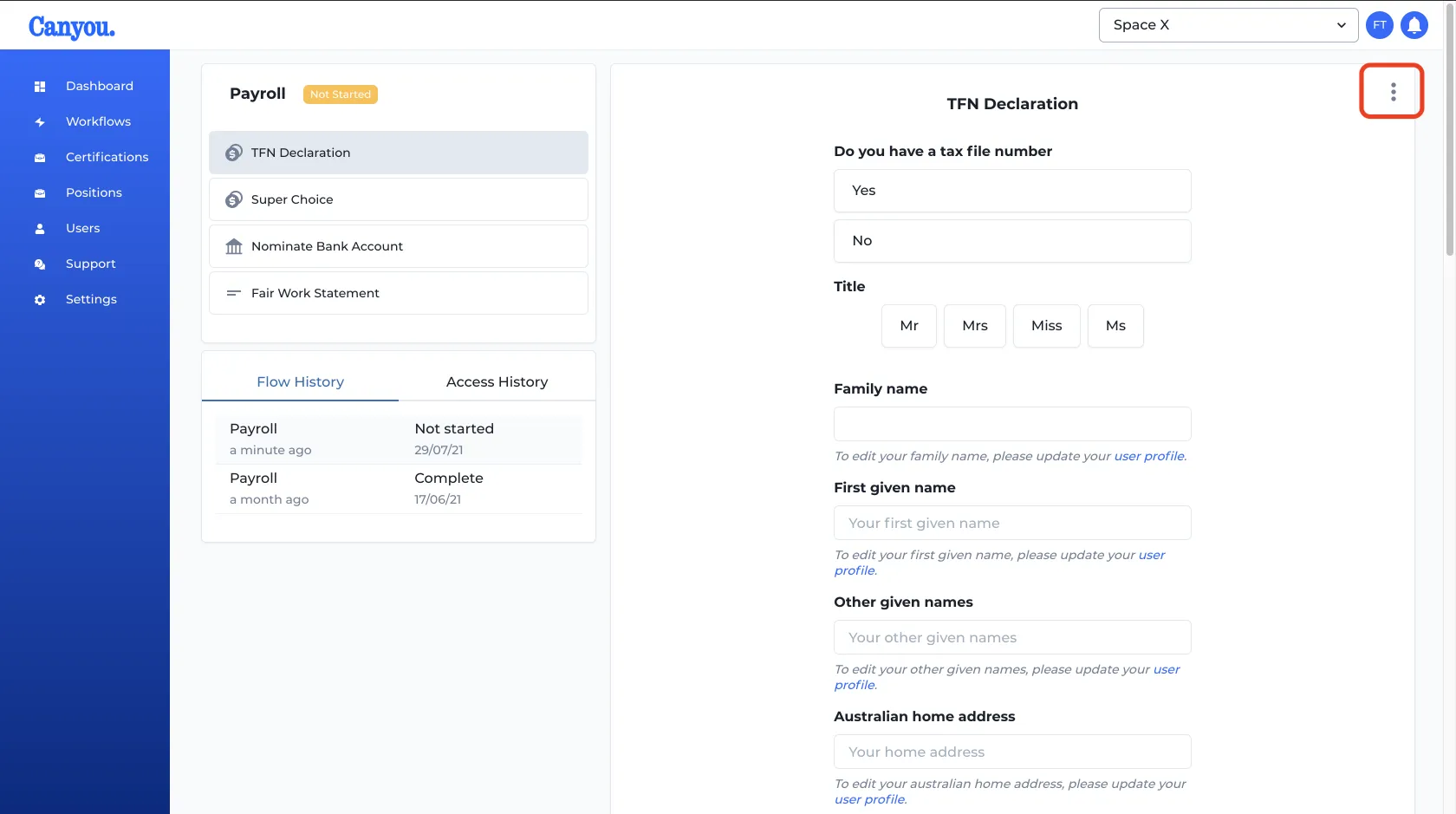
screenshot
  1. Then click Skip task.
screenshot
  1. We can now see that the task has been skipped. The employee will not have to complete this task.
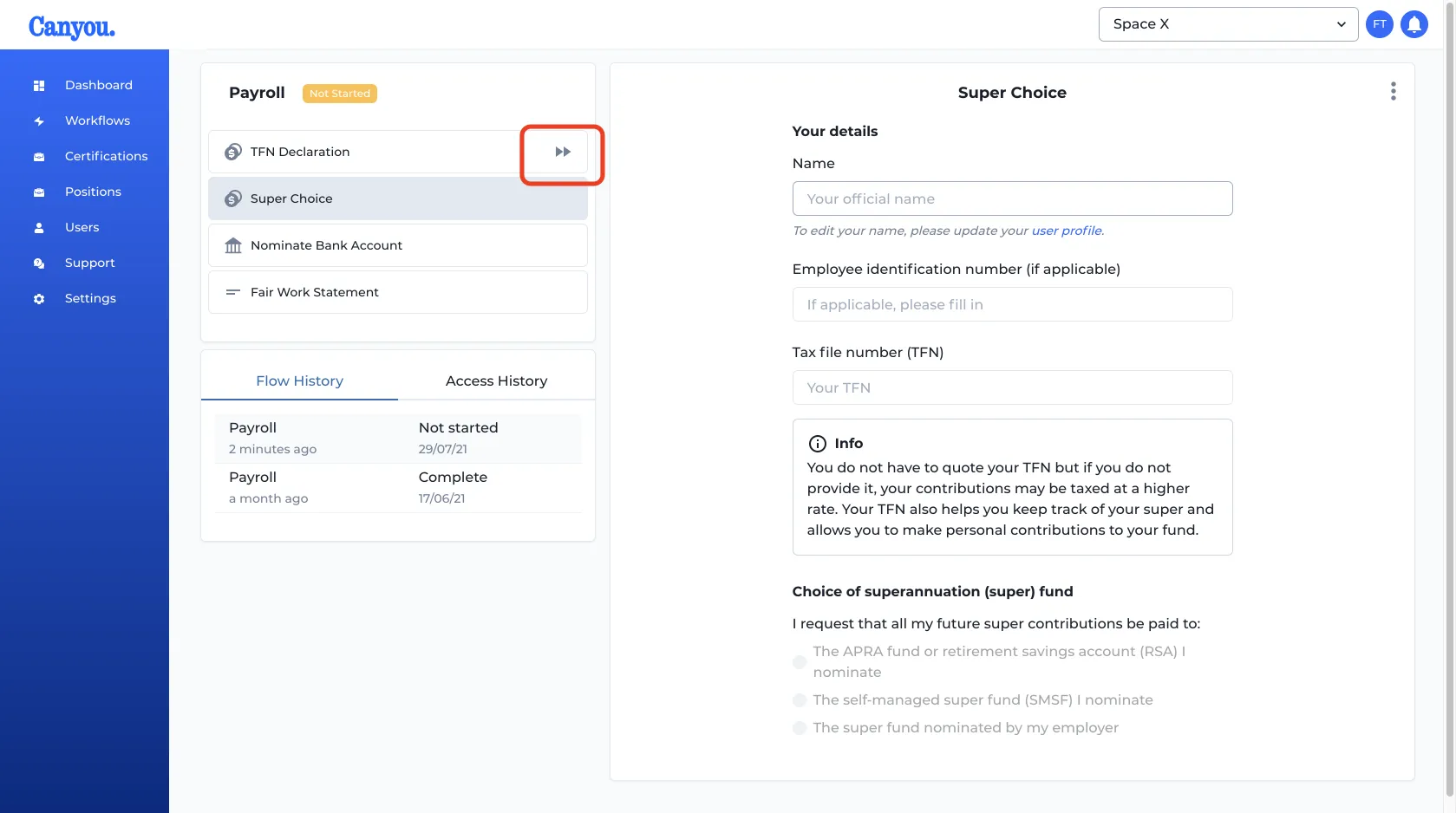
screenshot

30-minute demo · video call

See Canyou with your own crew in mind

Pick a time that suits you. Greg from our Australian team will walk you through it and answer your questions.

  • Your onboarding flow, set up for your crew
  • Licence and ticket tracking to expiry
  • Syncing with Xero, MYOB or Deputy
  • Pricing for your team size

No obligation · Australian support 🇦🇺

Loading Greg's calendar