Help Centre
Getting Started
Dashboard
How to guides
Workflows
Workflow templates
Tasks
E-Sign
Positions
Custom Fields
Reminders
Automations
Entry Points
Users
Certifications
Videos
Businesses
Logging In
Superannuation
Xero Integration
Deputy Integration
Workforce One Integration
Astute Payroll Integration
JobAdder Integration
Visa Checks
Billing
FAQs

Change a User's Role 🔑

This section shows how to change the role of a user in Canyou. For an overview of the available roles and what each one can do, see User basics.


  1. Navigate to the Users menu and click on the user whose role you want to change.
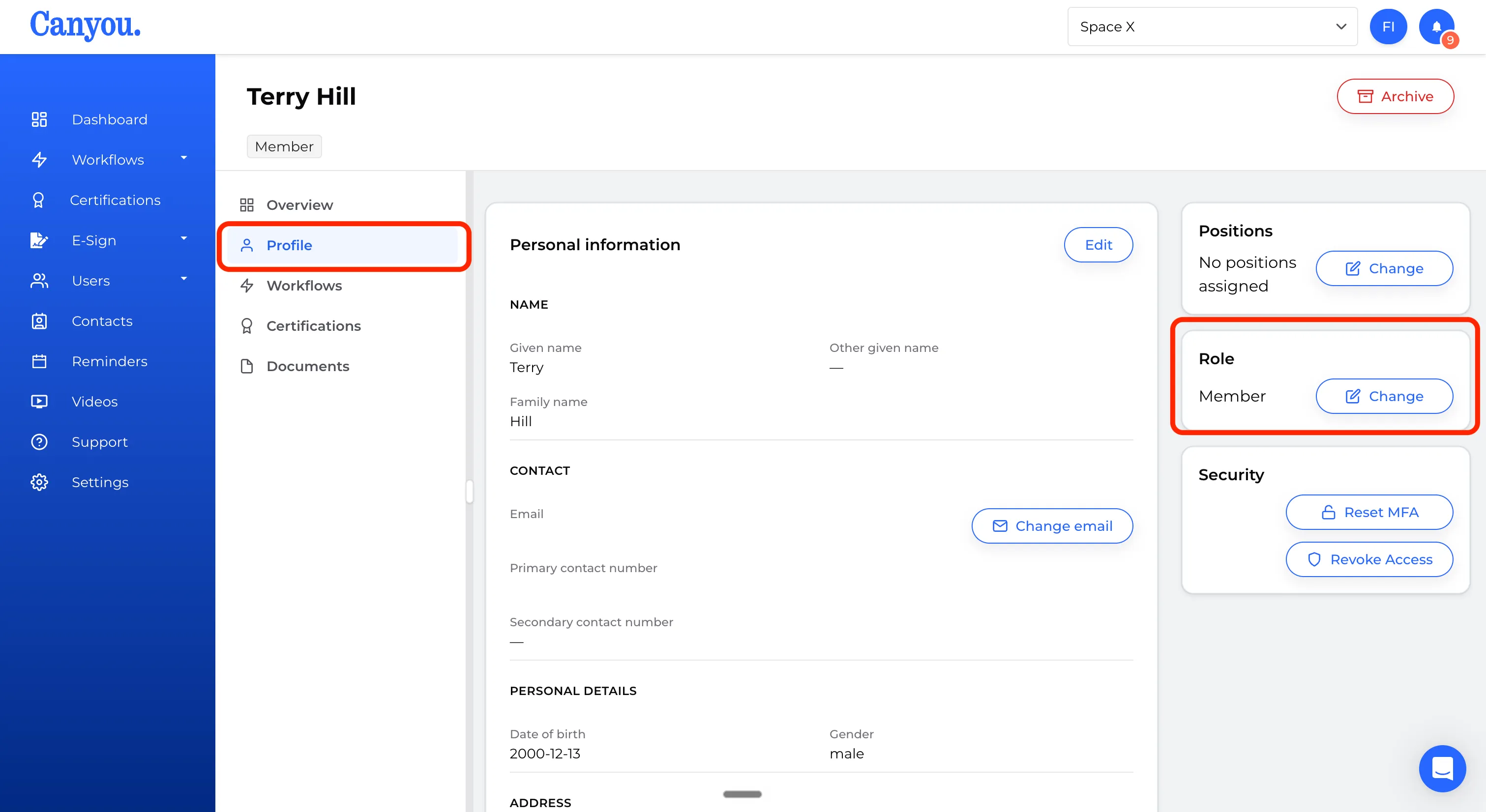
  2. Click on the user's profile to open their profile page. Locate the Role section.
screenshot
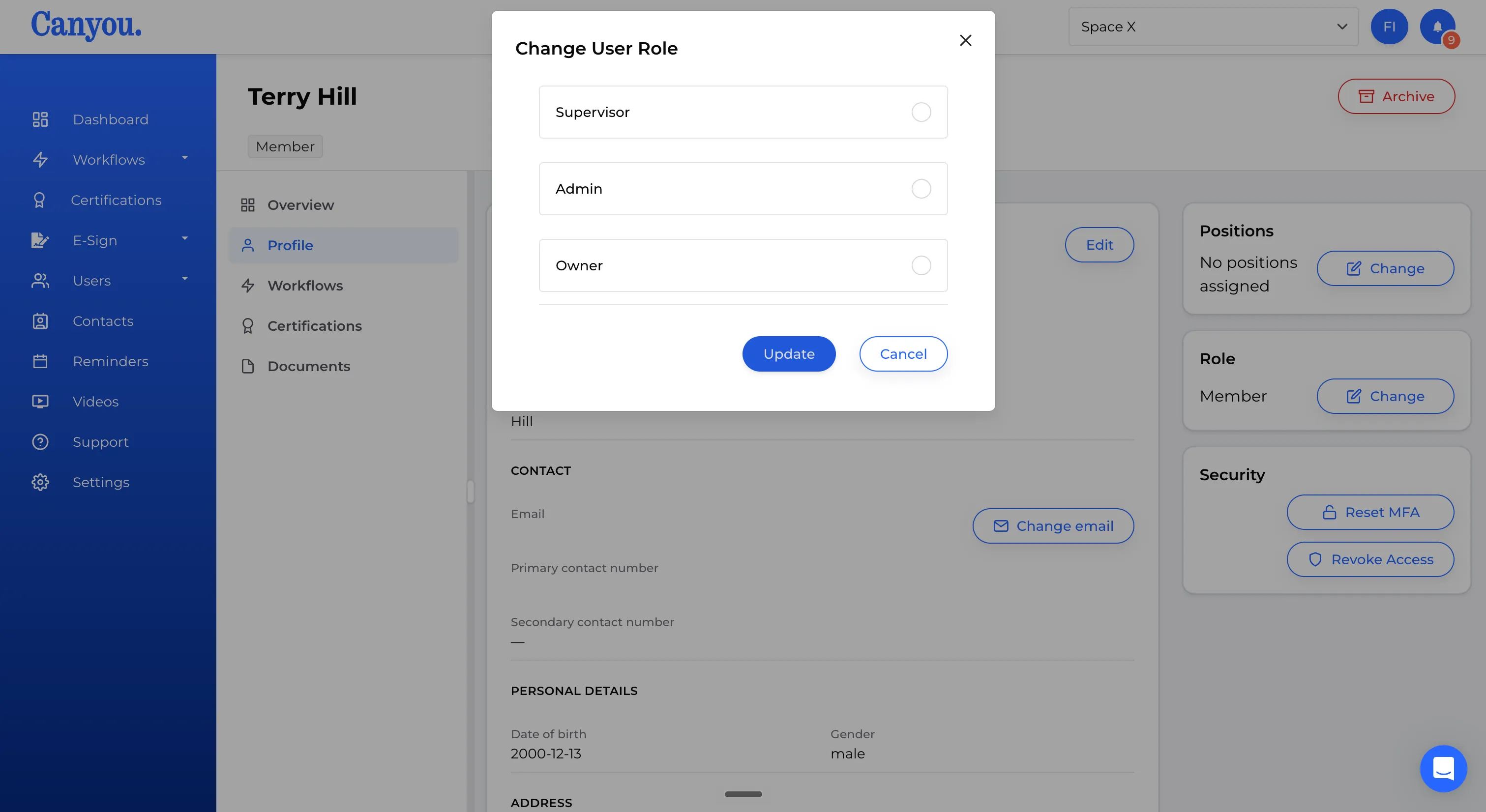
  1. Click the role selector to open the change role modal and select the new role.
screenshot
  1. Confirm the change. The user's role will be updated immediately.

Note: The Owner role is only visible in the role selector to users who are already Owners.

30-minute demo · video call

See Canyou with your own crew in mind

Pick a time that suits you. Greg from our Australian team will walk you through it and answer your questions.

  • Your onboarding flow, set up for your crew
  • Licence and ticket tracking to expiry
  • Syncing with Xero, MYOB or Deputy
  • Pricing for your team size

No obligation · Australian support 🇦🇺

Loading Greg's calendar